Table of Contents >> Show >> Hide
- First: Don’t Panic… and Don’t “Send It Back” Yet
- Why Random Cash App Payments Happen (And When It’s a Trap)
- The Safest Playbook: Step-by-Step
- Step 1: Confirm the payment is real (inside the app)
- Step 2: Screenshot and document (quietly)
- Step 3: Don’t spend it, cash it out, or move it “to be safe”
- Step 4: Don’t negotiate with strangers (especially not in DMs)
- Step 5: Use Cash App’s in-app safety tools: report, block, and contact support
- Step 6: If you choose to return it, use the “Refund” option on the original payment (not a new payment)
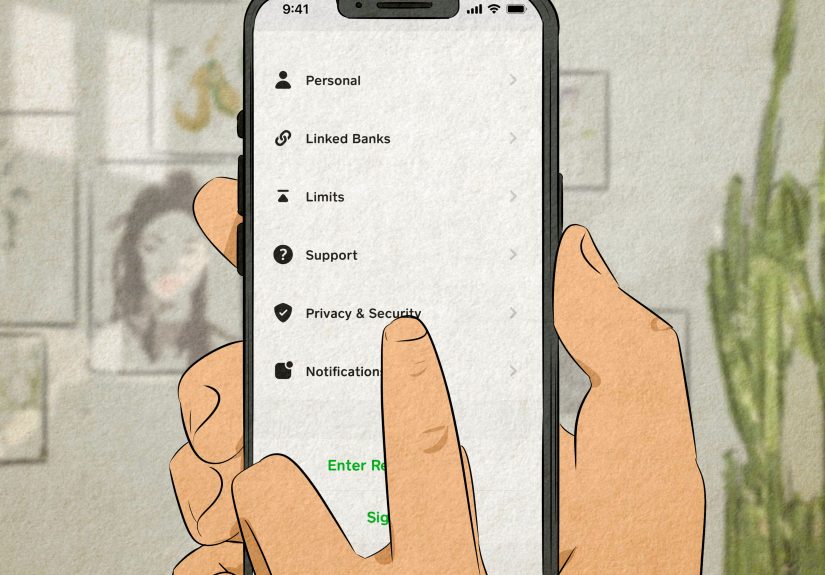
- Step 7: Lock down your Cash App security settings
- Step 8: Monitor your bank/credit card if it’s linked
- Step 9: Report scams to the right places (when needed)
- Real-World Scenarios (And Exactly What to Do)
- What Not to Do (No Matter How Polite You Are)
- FAQ: Quick Answers to Common “Wait, But…” Questions
- Conclusion: Be Helpful Without Becoming the Hero in a Scam Movie
- Extra: Experiences People Share About Unexpected Cash App Payments ()
You open Cash App, expecting the usual: a request from your friend for “your half of tacos” or a painfully specific $7.43 split. Instead, you see money from a stranger. No note. No context. Just vibes and confusion.
Before you celebrate your new career as a “professional recipient,” take a breath. An unexpected Cash App payment can be an honest mistake (someone typed the wrong $Cashtag) or the opening scene of a classic “accidental payment” scam. Either way, how you respond matters.
First: Don’t Panic… and Don’t “Send It Back” Yet
The most tempting move is also the most dangerous: sending the money back as a brand-new payment because a stranger DMs you with a sad story. In many P2P scams, the “sender” is using stolen funds or a compromised payment method. If you send your own money back, you could end up losing real dollars when the original transaction gets reversed or flagged later.
Translation: the money you “returned” may come from you, not from the original “gift,” and your account can go negative. Your goal is to avoid becoming the middle chapter in someone else’s fraud story.
Why Random Cash App Payments Happen (And When It’s a Trap)
1) The harmless typo
Cash App usernames and phone numbers are easy to fat-finger. One wrong character and someone’s rent money becomes your surprise cameo. This is the best-case scenarioboring, fixable, and not a crime thriller.
2) The “accidental payment” / refund scam
A scammer sends you money, then immediately messages you: “OMG I sent it to the wrong person, please send it back.” Often they’ll add pressure: “I need it for my kid,” “I’ll call the police,” “I’m crying in a parking lot,” etc. The goal is urgency, not accuracy.
Here’s the trick: the initial payment may be funded by stolen credentials or otherwise disputed. If you send a separate payment back, you’re sending your money. Later, the “original” may disappear, and you’re left holding the bag (and the regret).
3) Fake customer support follow-ups
Sometimes the next message isn’t “please refund,” but “Cash App Support hereconfirm your login,” or “to verify your account, click this link.” That’s phishing. Real support won’t ask for your PIN, sign-in code, or for you to send money to “unlock” your account.
4) Account-probing “test” payments
Some fraudsters send small amounts to see who responds, which accounts are active, and who can be manipulated into chatting off-app. The payment is bait; your reaction is the data.
The Safest Playbook: Step-by-Step
Step 1: Confirm the payment is real (inside the app)
Open Cash App and review the transaction in your Activity feed. Ignore screenshots a stranger sends you. Ignore emails/texts saying “You received money” if they contain linksgo directly into the app yourself.
- Check the sender’s $Cashtag and profile details.
- Look for a note (sometimes there’s a clue like “Mike’s rent” or “invoice”).
- Check whether the payment is completed or pending.
Step 2: Screenshot and document (quietly)
Before you touch anything, take screenshots of:
- The payment in Activity (amount, date/time, sender details)
- Any messages the sender sends you inside Cash App
- Any emails/texts that look like “support” attempts
If things get scammy, documentation makes reporting easier.
Step 3: Don’t spend it, cash it out, or move it “to be safe”
Treat unexpected P2P funds like a stray cat: do not take it home, do not feed it, and do not name it. Moving the money can complicate reversals, investigations, or disputes. Leave it in place while you figure out the cleanest path.
Step 4: Don’t negotiate with strangers (especially not in DMs)
If the person messages you, keep it short and boring. Scammers hate boring.
A safe script: “I can’t send money. Please contact Cash App Support through the app to resolve mistaken payments.”
Step 5: Use Cash App’s in-app safety tools: report, block, and contact support
If anything feels offodd pressure, threats, weird links, requests to “verify,” or instructions to pay elsewhereuse the in-app reporting options. Cash App also warns users to communicate with support through official in-app channels, not random phone numbers or social posts.
- Report the account (from the profile/transaction view)
- Block the account to stop messages and requests
- Contact Cash App Support through your profile/support menu
Step 6: If you choose to return it, use the “Refund” option on the original payment (not a new payment)
This is the most important nuance: there’s a big difference between:
- Refunding the original incoming payment (a reversal tied to that transaction), and
- Sending a brand-new payment (your money going out as a separate transaction).
If you’re confident it’s a true mistake and you want to do the right thing, use the refund flow on the original payment. Do not create a new payment “to return it,” and do not send money to a different $Cashtag “they switched to.” That’s a common scam pivot.
Also, don’t feel obligated to handle it at all. Many safety advisories recommend letting the platform manage mistaken or suspicious transfers, especially if the sender is pressuring you.
Step 7: Lock down your Cash App security settings
Even if the payment itself is harmless, the attention around it can attract phishing attempts. Quick security checklist:
- Turn on a Security Lock (PIN/biometric) if you haven’t.
- Enable notifications so you see every login/payment attempt.
- Review linked phone/email and remove anything you don’t recognize.
- Update your device passcode and avoid reusing passwords across apps.
Step 8: Monitor your bank/credit card if it’s linked
If you have a debit card or bank account connected, keep an eye out for unrelated charges, login alerts, or “support” calls asking you to “verify.” If you suspect compromise, contact your bank/card issuer directly using the number on the back of your card.
Step 9: Report scams to the right places (when needed)
If you believe it’s fraud, consider reporting:
- Cash App Support (in-app) for the transaction/account
- FTC fraud reporting for consumer scams
- FBI IC3 if there’s significant loss or organized fraud indicators
- Your state consumer protection agency if applicable
Real-World Scenarios (And Exactly What to Do)
Scenario A: “I sent $80 by mistake, please send it back now.”
Do: Don’t send a new payment. Tell them to contact Cash App Support. If you decide to help, only consider refunding the original payment inside the transaction details.
Don’t: Let them guilt you into speed-running a financial mistake. Urgency is a scam ingredient, not a character trait.
Scenario B: They send $500 and then threaten you
Do: Screenshot everything, block, report, and contact Cash App Support. Threats are a bright red flag.
Don’t: “Prove you’re honest” by sending money back. That’s exactly what they want.
Scenario C: They ask for your email/phone “to verify it’s you”
Do: Stop messaging. Report the account. Keep communication inside official support channels.
Don’t: Share personal details, codes, or screenshots of your app that reveal your name, email, balance, or linked accounts.
Scenario D: You recognize the name… kind of
Sometimes it’s a friend-of-a-friend or someone from a marketplace deal. Verify outside the app with a known method (text the number you already have, not the one they message you from). If it’s legitimate, the refund path is still cleaner than sending a new payment.
What Not to Do (No Matter How Polite You Are)
- Don’t send a separate payment to “return” the funds.
- Don’t click “support” links from random texts/emailsgo through the app.
- Don’t share login codes, PINs, or personal info.
- Don’t move the money to your bank “so it can’t be reversed.” That’s not how safety works.
- Don’t accept weird instructions like “send it to this other account instead.”
FAQ: Quick Answers to Common “Wait, But…” Questions
Can Cash App reverse a payment?
For person-to-person payments, Cash App generally notes that completed payments can’t simply be canceled like a pending order; resolution often depends on refunds, disputes, and support workflows. If you sent money to the wrong person, you typically have to request a refund from the recipient. If you received money, you may see options to refund that transaction in-app.
Could I get in trouble for keeping the money?
Laws vary by state, and intent matters. The safest approach is not to spend it and to route the issue through Cash App Support. Think of it like a wallet someone dropped“finders keepers” is not a universal legal doctrine.
What if I already sent it back?
Act fast: contact Cash App Support through the app, document everything, and report the account. If your linked card/bank is involved and you see suspicious activity, contact your bank too. Consumer protection guidance also recommends reporting scams promptly to improve your odds of recovery.
What if the payment is smalllike $5?
Small amounts can still be bait. The correct response doesn’t change: don’t engage, don’t send money back as a new payment, and report anything suspicious.
Conclusion: Be Helpful Without Becoming the Hero in a Scam Movie
If a random person sends you money on Cash App, the best response is calm, boring, and platform-based: verify inside the app, document, don’t move the funds, don’t send a brand-new payment, and use Cash App’s support/reporting options when in doubt.
If it’s a genuine mistake, the correct tools (refund/support) solve it. If it’s a scam, your refusal to “play along” is the safest power move. Either way, you keep your moneyand your blood pressurewhere they belong.
Extra: Experiences People Share About Unexpected Cash App Payments ()
Ask around (or scroll long enough), and you’ll find the same patterns repeatinglike reruns, but with higher stakes and worse acting. Here are common experiences people describe and what they learned the hard way.
The “nice person reflex” story
A frequent theme: someone receives an unexpected $40–$200, then gets a message that sounds human and urgent. The receiver wants to be kind, so they quickly send the same amount back as a new payment. Only later do they discover the original transfer was disputed, reversed, or otherwise removed, leaving them out the money they sent. The lesson is painfully simple: kindness is great, but kindness plus financial apps requires guardrails. People who avoided losses typically did one of two things: they refused to send a new payment, or they insisted on handling it through official refund/support channels only.
The “they kept changing accounts” story
Another common experience starts with a believable line“My brother sent it to the wrong $Cashtag”and then morphs into chaos: “Actually refund to this account,” “That one got locked,” “Use this different username,” “I can’t access the old one.” When a stranger keeps moving the goalposts, it’s rarely because their life is uniquely complicated. It’s often because the scam requires you to send money somewhere that’s convenient for them and hard for you to recover. People who stayed safe used one rule: if the refund can’t be done on the original transaction to the original sender, they stop.
The “fake support spiral” story
Some people report that after receiving random money, they googled “Cash App support number” and called the first thing they saw. Then they got talked into “verifying” their account, sharing a code, downloading a screen-share app, or sending a payment to “secure” funds. The emotional ingredient here is embarrassment: once a person feels they made a mistake, they’re easier to pressure into “fixing it fast.” The safer alternative is unglamorous: open the app, go to support, and ignore anyone who contacts you first claiming to be support. Real support doesn’t need your secrets to do their job.
The “it was actually a typo” story
Not every story ends with fraud. Plenty of people find it really was a mis-typed $Cashtagoften confirmed when the sender includes a note like a last name, a service, or a specific bill reference, and they communicate politely without urgency. In these cases, users who felt comfortable resolving it safely still avoided brand-new payments. They refunded the original transaction or directed the sender to use official channels. The common thread in legit situations is patience. Honest people can wait a day while you do it correctly. Scammers can’tthey need you rushed, confused, and clicking.