Table of Contents >> Show >> Hide
- What “Ripping MP3s from Spotify” Usually Means (and Why It’s a Problem)
- Is It Illegal to Rip Spotify to MP3?
- So What Can You Do Instead? (Legal Options That Actually Solve the Real Need)
- Option 1: Use Spotify Offline Listening the Right Way
- Option 2: Use Spotify’s “Local Files” to Play Your Own MP3s
- Option 3: Build a Real MP3 Library (That You Truly Own)
- Option 4: Keep Your Spotify Playlists, Even If You Leave Spotify
- Common Myths (Let’s Bust These Before They Bust Your Weekend)
- A Practical Decision Guide: What Should You Do?
- Real-World Experiences: What People Run Into (and How They Solve It)
Let’s start with the awkward truth: if by “rip MP3s from Spotify” you mean “turn streaming tracks into standalone MP3 files I can keep forever,”
Spotify doesn’t offer thatand the methods that claim to do it usually violate Spotify’s rules and/or copyright law.
(In other words: Spotify isn’t a magical MP3 vending machine. If it were, the “Download” button would come with a tiny pirate hat.)
But the search intent behind this topic is real. People want:
offline listening on planes, backups for road trips, music on devices that don’t run apps, DJ-friendly files, or just a personal library that
doesn’t evaporate if a subscription ends.
So this guide takes the responsible route: it explains why “Spotify to MP3” doesn’t work the way people assume, then gives you the best legal
alternativesstep-by-stepso you can still get what you actually want: offline access, portability, and a real file-based music collection.
What “Ripping MP3s from Spotify” Usually Means (and Why It’s a Problem)
When most people say “rip MP3s from Spotify,” they’re describing one of these goals:
- Convert Spotify’s catalog tracks into MP3 files (playable anywhere, not just Spotify).
- Extract downloaded “offline” tracks and use them in another app, on a USB drive, or on a separate device.
- Record the audio and save it as a file (sometimes called “stream ripping”).
The issue is that Spotify’s licensing model is built around streaming access, not ownership. Labels and rights-holders generally license content
for playback inside Spotify’s ecosystem. That’s why Spotify’s offline feature exists, but it’s designed for listening within Spotifynot exporting.
Why Spotify Offline Downloads Aren’t MP3 Files
Spotify Premium lets you download music for offline listening, but those downloads are meant to be playable only in the Spotify app.
That’s not Spotify being mean; it’s Spotify following the rules of its licensing agreements and protecting rights-holders from easy redistribution.
Translation: the “Download” button is more like “reserve for offline playback” than “save as MP3.”
Is It Illegal to Rip Spotify to MP3?
I’m not your lawyer (and this isn’t legal advice), but here’s the practical takeaway:
ripping/converting Spotify streams into MP3s typically means making unauthorized copies and/or bypassing technical protectionsboth of which can create legal risk.
Even if your intent is personal use, the tools and methods involved are commonly described as “stream ripping,” and major industry groups and
platforms treat that as piracy.
Also: Your Account Can Get Messy
Beyond legal theory, there’s an everyday consequence: accounts can be flagged or restricted if they’re tied to suspicious activity or third-party tools
that violate terms. If your playlists and listening history matter to you, protecting your account is worth more than a folder full of sketchy MP3s.
So What Can You Do Instead? (Legal Options That Actually Solve the Real Need)
Here are the best above-board ways to get “offline” and “portable” musicwithout turning your music habit into a part-time legal thriller.
Option 1: Use Spotify Offline Listening the Right Way
If your main goal is listening without Wi-Fi (travel, subway tunnels, bad reception, saving data), Spotify’s built-in offline downloads are the cleanest solution.
This keeps everything inside the app, where it’s intended to work.
How to download for offline listening (mobile)
- Open the playlist or album you want available offline.
- Toggle Download on.
- Wait for the download to complete (Wi-Fi helps; your future self on airplane mode will thank you).
Offline Mode: the “don’t even try the internet” switch
Downloads usually play automatically when you’re offline, but turning on Offline Mode can prevent Spotify from attempting to stream
and then sulking when it can’t.
Offline listening pro tips
- Plan downloads ahead of time. Hotels and airports love giving you “free Wi-Fi” that costs your sanity.
- Keep some storage free. Music adds up fast, especially with higher quality settings.
- Stay signed in and check in occasionally. Offline libraries can require periodic online validation.
- Organize by situation. Make a “Flight Mix,” “Gym Mix,” and “No-Signal Road Trip” playlist so you’re not downloading your entire life out of panic.
Option 2: Use Spotify’s “Local Files” to Play Your Own MP3s
Here’s a wildly underused feature: you can play audio files you already own (like MP3s you purchased or ripped from your own CDs) through Spotify using
Local Files.
This is the closest thing to “Spotify + MP3 library” that’s actually legitimate:
Spotify stays the player, but the files are yourslegally obtained and stored on your device.
How Local Files works (high level)
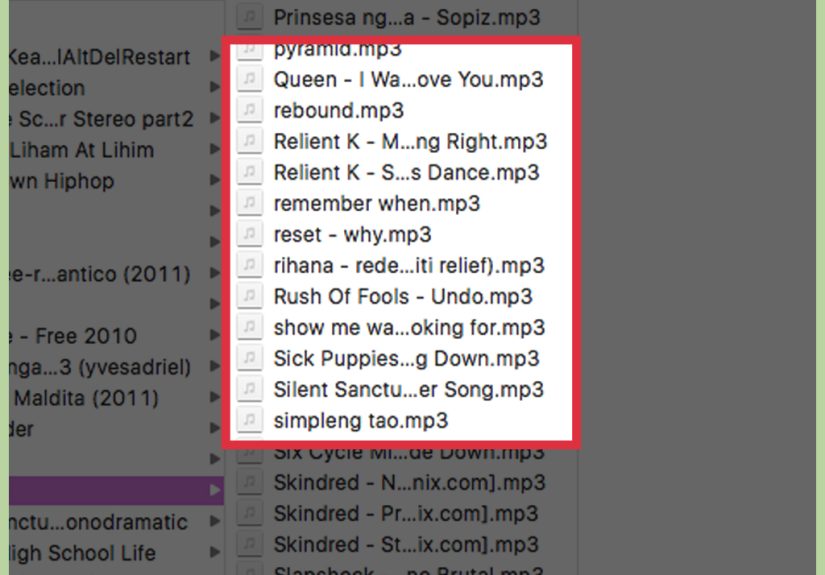
- You store MP3s (or other supported formats) on your computer or phone.
- You enable Local Files in Spotify settings.
- Spotify surfaces them under “Local Files,” and you can add them to playlists like any other track.
Best use cases for Local Files
- Bootlegs, demos, or live recordings you legally have but that aren’t on Spotify.
- DJ edits or clean versions you purchased.
- Independent artist downloads (Bandcamp purchases, direct-to-fan downloads).
- Your own music (yes, your band countseven if your drummer insists it’s “post-genre”).
Option 3: Build a Real MP3 Library (That You Truly Own)
If what you really want is “files I can keep forever,” the legal path is simple:
buy downloads (or get legitimate free downloads) from places that sell music as files.
Where to get legit MP3s (and why it’s worth it)
- Artist stores and direct downloads often the best way to support musicians.
- Digital music retailers convenient, usually well-tagged metadata.
- Bandcamp-style marketplaces great for indie, and you often get multiple formats (MP3, FLAC, etc.).
- Physical media yes, CDs still exist, and many come with download codes or can be ripped for personal use depending on your jurisdiction.
Once you’ve got a real library, you can:
back it up, move it to a USB drive, load it on a dedicated music player, edit tags, and keep listening even if every subscription on Earth evaporates tomorrow.
(That last part is not a prediction. It’s just… a mood.)
Option 4: Keep Your Spotify Playlists, Even If You Leave Spotify
A lot of people don’t actually need MP3sthey need their taste.
Your playlists represent years of late-night discoveries, heartbreak anthems, and “how did I end up in a 90-minute ambient playlist?” moments.
Simple ways to preserve your playlist info
- Duplicate important playlists (so one accidental delete doesn’t ruin your week).
- Maintain a “Master Favorites” list that you periodically prune.
- Export track lists using reputable playlist management tools (look for ones that focus on list transfer, not audio extraction).
- Save links and metadata (artist name, track name, album) so you can rebuild elsewhere.
If your goal is portability across services, playlist transfer is the legitimate “escape hatch.”
It won’t give you MP3sbut it will preserve the map of what you love.
Common Myths (Let’s Bust These Before They Bust Your Weekend)
Myth 1: “If I pay for Premium, I own the songs.”
Premium pays for access and convenience (ad-free listening, offline playback, higher quality options), not ownership of the catalog.
Think “gym membership,” not “buying the treadmill.”
Myth 2: “The offline files are on my phone, so I can just copy them.”
Those files aren’t intended to be usable outside Spotify.
They’re stored in a way that’s designed for in-app playback, not as portable MP3s.
Myth 3: “Recording a stream is basically the same as buying a song.”
Buying a song pays for a licensed copy. Recording a stream creates a new copy from access you didn’t purchase as a downloadable product.
Different rights, different rules, different consequences.
A Practical Decision Guide: What Should You Do?
Use this quick guide to choose the right path:
If you want offline listening for travel
- Use Spotify Premium downloads + Offline Mode.
- Make a few purpose-built offline playlists (don’t download your entire library “just in case”).
If you want MP3s for a USB drive, DJ gear, or a car stereo
- Buy MP3 downloads legally (or use files you already own).
- Organize and tag them properly so they’re easy to browse on hardware players.
If you want one place to play both Spotify and your own files
- Use Spotify for streaming.
- Use Spotify Local Files for your owned audio library.
If you’re afraid of losing your playlists
- Back up playlist metadata and consider playlist transfer tools.
- Keep a “Top 500” favorites list you can rebuild from.
Real-World Experiences: What People Run Into (and How They Solve It)
Most “How to rip MP3s from Spotify” searches start with a totally reasonable life problem, not cartoon villainy.
Here are the most common scenariosand the solutions people end up happiest with.
1) The Airport Panic Download. Someone realizes at the gate that airplane Wi-Fi is a myth and cellular data at 30,000 feet is even more fictional.
They try to download everything at once, their phone storage taps out, and Spotify starts behaving like it’s doing them a personal favor.
The fix? A “Travel” playlist kept lean on purpose (say 6–12 hours of music), downloaded the night before, plus Offline Mode enabled.
It turns last-minute chaos into a smooth “I am a competent adult” momenteven if you’re wearing sweatpants and holding a $9 bottle of water.
2) The “I Switched Phones and Lost My Downloads” Surprise. Offline downloads aren’t the same as a music library you own; they can disappear after reinstalls,
device changes, or account validation quirks. People who rely heavily on offline listening usually develop a routine:
keep a few core offline playlists, periodically refresh them on Wi-Fi, and store truly essential music (the “desert island albums”) as owned files too.
Think of it like meal prep: do the work once, stop suffering daily.
3) The Car Stereo or USB Drive Reality Check. Lots of vehiclesespecially older modelsdon’t play streaming apps natively.
People want a USB stick full of tunes and discover that Spotify downloads can’t be exported like MP3s.
The happy ending is almost always: buy MP3s for the “car folder,” keep Spotify for everything else.
The cost is surprisingly small if you focus on favorites, and the convenience is huge when your commute turns into a dead zone.
4) The DJ / Event Playlist Situation. Weddings, workouts, small eventssomeone needs reliable playback that won’t fail when the venue’s internet collapses.
DJs and event organizers tend to keep two layers:
Spotify offline playlists for quick access and vibe-building, plus an owned file library for critical moments (first dance, walk-on tracks, announcements).
It’s not paranoia; it’s professionalism. Also, nobody wants to explain buffering to a bride.
5) The “I Want to Support Artists Better” Pivot. A surprising number of people start this journey trying to get MP3s, then realize what they really want is ownership
and better artist support. They keep Spotify for discovery and daily listening, but purchase music they truly loveespecially from indie artists.
The result is the best of both worlds: streaming convenience plus a permanent collection that won’t vanish with a subscription change.
In the end, the most satisfying “Spotify-to-MP3” outcome usually isn’t ripping at all.
It’s building a setup that matches real life: Spotify for access, offline downloads for travel, and a legitimate MP3 library for portability and long-term ownership.
Once you do that, the urge to “rip MP3s from Spotify” fadesbecause you already have what you were trying to get in the first place.