Table of Contents >> Show >> Hide
- CAPTCHA, decoded: what the letters mean
- Why websites make you prove you’re human
- How CAPTCHA works (without turning your brain into a motherboard)
- A quick (real) history lesson: from spam stopper to book digitizer
- Is a CAPTCHA code secure?
- Accessibility and privacy: the tradeoffs people don’t talk about (until they’re angry)
- CAPTCHA vs. other bot defenses
- How to pass a CAPTCHA code without losing your will to live
- If you run a website: smarter CAPTCHA practices (that don’t wreck conversions)
- CAPTCHA FAQ
- Real-world experiences with CAPTCHA codes (the part nobody puts in the manual)
- Conclusion
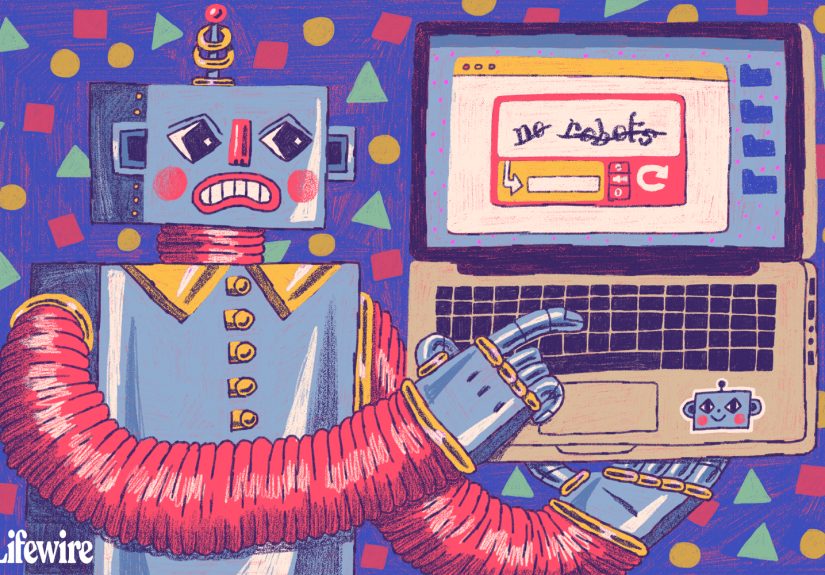
If the internet had a bouncer, it would be a CAPTCHA. You know the drill: squint at some wobbly letters, click
every photo that contains a “bus” (including the spiritual essence of a bus), or tap a checkbox that says
“I’m not a robot.” Congratulationsyou’ve just participated in one of the web’s most common
anti-bot tools.
But what is a CAPTCHA code, really? Why do websites use it? How does it work? And why does it always
appear when you’re in a hurry, like the universe is trying to build your character?
CAPTCHA, decoded: what the letters mean
CAPTCHA is an acronym for
“Completely Automated Public Turing test to tell Computers and Humans Apart.”
That’s a mouthful, so most people just call it “that annoying robot test.”
The core idea is simple: a website gives you a small challenge that’s supposed to be easy for humans and hard for
automated programs (bots). If you pass, the site treats you like a human user and lets you continuesubmitting a
form, creating an account, buying tickets, resetting a password, and so on.
CAPTCHAs are sometimes described as a “reverse Turing test.” In the original Turing test, a human judge tries to
tell if they’re talking to a computer. With CAPTCHA, the computer is the judge and it asks you to
prove you’re human. The irony is delicious.
Why websites make you prove you’re human
Websites don’t add CAPTCHA because they enjoy watching people debate whether a traffic light is “in” the picture.
They use it because bots can be relentlessand cheap.
Common reasons you’ll see a CAPTCHA code
- Stopping spam in comments, contact forms, reviews, and forum posts.
- Protecting account sign-ups from fake registrations and disposable accounts.
- Reducing brute-force and credential-stuffing attempts on login pages.
- Preventing “inventory sniping” (think: ticket bots and limited-edition product drops).
- Throttling abusive traffic to keep a site stable and usable.
- Blocking automated scraping when it harms availability, pricing, or content access rules.
In other words: a CAPTCHA code is a speed bump for automation. It won’t stop every bad actor forever, but it can
raise the cost of abuse and reduce the volume of junk traffic enough to matter.
How CAPTCHA works (without turning your brain into a motherboard)
Most CAPTCHA systems follow a challenge–response pattern:
- The website shows a task (or silently evaluates your behavior).
- You respond (by typing, clicking, listening, or just existing normally on the page).
- The site checks the response or score and decides whether to allow the action.
Early CAPTCHAs leaned heavily on tasks that computers struggled with at the timeespecially recognizing distorted
text. Modern CAPTCHAs often combine multiple signals: device/browser characteristics, how you move through a page,
how quickly you submit a form, and whether your interaction “looks human.”
Type 1: Distorted text (the classic “squint and guess”)
This is the old-school CAPTCHA: warped letters and numbers that humans can typically read, but automated text
recognition historically found tricky. The goal isn’t perfectionit’s to create a task where bots fail often enough
to be inconvenient at scale.
The downside: these are famously irritating, especially on small screens, and they can create accessibility
barriers for people with visual impairments or dyslexia.
Type 2: Image puzzles (the “find all the bicycles” saga)
Image CAPTCHAs ask you to identify objectscars, crosswalks, traffic lights, hydrantsby clicking tiles. It’s
easier for most humans than for many bots, though automated image recognition has improved dramatically over time.
Image puzzles can also act like a “confidence test.” If your behavior looks normal and low-risk, you might get a
simple checkbox. If the system is uncertain, it escalates to images.
Type 3: Audio CAPTCHAs (the “robot voice, but make it confusing” edition)
Audio CAPTCHAs were introduced partly as an alternative for people who can’t use visual challenges. You listen to a
clip (often noisy or distorted) and type what you hear.
In practice, audio challenges can still be toughespecially for users with hearing impairments, people in noisy
environments, or anyone who doesn’t share the accent/language assumptions baked into the audio.
Type 4: Checkbox and “invisible” CAPTCHAs (the sneaky modern approach)
Some modern systems try to reduce friction by scoring risk in the background. A famous example is the
“I’m not a robot” checkbox. Clicking it isn’t magicalit’s often paired with behind-the-scenes
signals. If those signals suggest low risk, you pass quickly; if not, you might get a harder challenge.
Other approaches (often called “invisible” CAPTCHAs or bot detection) may never show a puzzle at all. Instead, they
return a risk score to the website. For example, some versions of reCAPTCHA provide a score from low to high risk,
and the site can decide what to do next: allow, require extra verification, or block.
Meanwhile, some providers market CAPTCHA replacements that aim to confirm “real visitor” status with less user
effortideally without forcing puzzles on everyone.
A quick (real) history lesson: from spam stopper to book digitizer
CAPTCHA didn’t start as a way to torture humans for sport (even if it sometimes feels like it). The term was coined
in the early 2000s as researchers looked for automated ways to block bots from abusing online services.
One of the most interesting evolutions was reCAPTCHA, which didn’t just block botsit also
repurposed human effort. Some versions asked people to type words from scanned texts that computers struggled to
read, helping digitize books and archival documents while users proved they were human. It’s like community
service, but you didn’t commit a crimeyou just wanted to post a comment.
Is a CAPTCHA code secure?
“Secure” depends on what you expect it to do. A CAPTCHA is best viewed as one layeruseful, but not
invincible.
What CAPTCHA is good at
- Blocking basic bots that blindly submit forms or hammer login pages.
- Reducing abuse volume by adding cost (time, complexity, and failure rate).
- Creating a checkpoint for high-risk actions (sign-up, password reset, checkout).
Where CAPTCHA struggles
-
Advanced automation: as machine learning improves, some challenges become less “hard for
computers.” -
Human-assisted abuse: attackers can outsource solving to real humans, defeating the “bot”
assumption. - User friction: too many challenges can reduce conversions and frustrate legitimate visitors.
- Accessibility: if there isn’t a usable alternative, some users are effectively locked out.
This is why many security-minded sites combine CAPTCHA with other controls like rate limiting, anomaly detection,
email/phone verification, and multi-factor authentication (MFA) for accounts.
Accessibility and privacy: the tradeoffs people don’t talk about (until they’re angry)
CAPTCHAs exist because bots are a real problembut they can create real problems for humans too. Accessibility
guidance has long warned that a CAPTCHA without a truly usable alternative can block people with disabilities from
basic tasks like making purchases or creating accounts.
From a privacy angle, some bot-detection systems rely on behavioral signals and browser/device data. That can
improve security and reduce puzzles, but it may also raise concerns about tracking and data collection. The best
implementations try to strike a balance: protect users from abuse without demanding a scavenger hunt through
traffic photos or harvesting unnecessary data.
CAPTCHA vs. other bot defenses
A CAPTCHA code is just one tool in the “please stop attacking my website” toolbox. Here’s how it compares to other
common approaches:
Rate limiting and throttling
Rate limiting restricts how many requests a user (or IP address) can make in a time window. It’s effective for
slowing down brute-force and spam floods. It can also accidentally punish legitimate users on shared networks
(offices, schools, cafés), so it needs careful tuning.
Email/phone verification
Verifying an email or phone number can reduce fake accounts, but it adds friction and may not be ideal for every
site. It also raises privacy considerations (especially with phone verification).
Multi-factor authentication (MFA)
MFA doesn’t replace CAPTCHA, but it’s a strong layer for protecting accounts from credential stuffing and account
takeover. If you’re guarding something high-value (financial info, healthcare data, admin dashboards), MFA is often
the bigger win.
Behavioral bot detection
Some systems try to detect automation continuously by analyzing patternshow requests behave, how pages load, how
sessions move. The goal is to reduce visible challenges for legitimate users while quietly stopping abusive traffic.
How to pass a CAPTCHA code without losing your will to live
If you’re a regular user and a CAPTCHA won’t cooperate, you’re not doomedyou’re just temporarily auditioning for a
role in “Human vs. Website.”
Quick fixes that often work
- Slow down: rapid clicks and instant form submissions can look bot-like.
- Refresh the challenge: sometimes the puzzle is just… bad.
- Enable JavaScript: many CAPTCHA tools need it to run.
- Allow cookies (at least for that site): blocking everything can break verification.
- Turn off VPN/proxy temporarily: shared or unusual IP traffic can trigger extra checks.
- Update your browser or try another one: extensions and strict privacy settings can interfere.
- Try the audio option if the visual puzzle is impossible for you.
If the CAPTCHA is still stuck in a loop, it may not be youit could be a site configuration issue, a browser
compatibility problem, or aggressive anti-bot settings.
If you run a website: smarter CAPTCHA practices (that don’t wreck conversions)
Site owners often face a hard truth: the more you punish bots, the easier you can accidentally punish humans. A good
CAPTCHA strategy aims for selective frictionchallenge only when it’s truly needed.
Practical best practices
- Use CAPTCHA on high-risk actions (login, sign-up, password reset), not everywhere.
- Prefer risk-based approaches so low-risk users glide through.
- Provide accessible alternatives and test them with real assistive technologies.
- Pair with rate limiting so you’re not relying on CAPTCHA alone.
-
Monitor completion rates: if lots of users fail, your CAPTCHA may be too strict or poorly
implemented. - Be transparent: if you block an action, offer a human-friendly way to retry or contact support.
The best implementations treat CAPTCHA as a tool for risk management, not a permanent obstacle course.
CAPTCHA FAQ
Is a CAPTCHA code the same thing as a password?
Nope. A password is a secret you set to access an account. A CAPTCHA code is a short-lived verification test to
prove you’re (probably) human. It’s not meant to be rememberedthank goodness.
Why do CAPTCHAs show up more on public Wi-Fi?
Public Wi-Fi networks often share an IP address across many users. If the network has a history of suspicious
trafficor just a lot of trafficwebsites may treat it as higher risk and trigger more verification.
Why does a CAPTCHA keep failing even when I’m right?
Sometimes the “right” answer is fuzzier than it should be (does that tile count as a bicycle if it shows 10% of a
wheel?). Other times, browser settings, extensions, blocked scripts, or network factors can cause failures.
Refreshing, slowing down, or switching browsers often helps.
Can CAPTCHAs be harmful?
Not in the “poison” sense, but they can harm user experience and accessibility if implemented poorly. There’s also
a growing trend of fake CAPTCHA prompts used in scamsso it’s important to be cautious if a page
asks you to do something unusual (like copying and pasting commands into your computer).
Real-world experiences with CAPTCHA codes (the part nobody puts in the manual)
Most people don’t think about CAPTCHAs until they’re standing between you and something you wantlike a checkout
button, a password reset, or the last concert ticket that won’t bankrupt you. If you’ve ever felt personally judged
by a grid of photos, you’re in excellent company.
One common experience: the “CAPTCHA spiral.” You’re trying to log in, you mistype your password once, and suddenly
the site decides you’re suspicious. You get a challenge. You solve it. Then you get another. Then a third. By the
fourth puzzle you’re thinking, “If I were a bot, I’d have quit by now,” whichironicallyis exactly the kind of
human frustration signal that makes you feel more human than ever.
Another frequent moment happens on mobile: you’re on a tiny screen, zooming in and out like a detective with a
magnifying glass, trying to decide whether a blurry rectangle is a bus or just modern architecture. You tap a tile.
The image refreshes. Now the bus has moved. You tap again. The site responds with the digital equivalent of a raised
eyebrow: “Try again.” This is when people develop strong opinions about what counts as a “crosswalk.”
Travel and remote work add their own twists. Use a VPN for privacy, hop between hotel Wi-Fi networks, or sign in
from a shared coworking space, and you may see more CAPTCHAs because your traffic looks “unusual” compared with your
normal pattern. It’s not a moral failing. It’s just risk scoring doing what it doessometimes a bit too eagerly.
Accessibility experiences can be even more intense. A visual CAPTCHA can be a complete blocker for someone who uses
a screen reader or has low vision, and audio alternatives aren’t always easy eitherespecially if the audio is
distorted or assumes certain language familiarity. The frustration here isn’t just “ugh, annoying,” but “I literally
cannot complete the task,” which is why accessible alternatives and thoughtful design matter so much.
And then there are the suspicious, scammy CAPTCHAsthe ones that don’t behave like normal verification at all. A
legitimate CAPTCHA typically keeps you in the browser and asks you to click, select, or type. If a “CAPTCHA” page
instructs you to copy text, paste commands, or “run verification steps” outside your browser, that’s a giant red
flag. Many people’s lived experience of CAPTCHAs now includes learning this safety rule the hard way: if the test
asks you to do something weird, close the tab and navigate to the site directly.
The most relatable experience, though, is the emotional arc: you start calm, you become mildly annoyed, you bargain
(“If I pass this one, I’ll finally clean my inbox”), and you end by promising yourself you’ll enable password keys,
update your browser, and never anger the internet bouncer again. Then next week, you’ll be back, clicking on
traffic lights like it’s your part-time job.
Conclusion
A CAPTCHA code is a human checka small test designed to separate real visitors from automated abuse. When it’s
implemented thoughtfully, it helps protect websites from spam and bot attacks without derailing legitimate users.
When it’s implemented poorly, it can feel like being trapped in a puzzle game you never downloaded.
The sweet spot is balance: enough verification to stop bad traffic, plus accessibility and smart design so real
humans can get on with their lives. Because at the end of the day, the goal isn’t to prove you’re human.
The goal is to let humans do human thingslike buying shoes, joining communities, and occasionally yelling at a
grid of pictures in peace.