Table of Contents >> Show >> Hide
In our fast-paced world, it’s not uncommon to make a call, get disconnected, or simply forget to save a number before moving on to another task. Redialing, however, is easier than you think! Whether you are using a smartphone, landline, or other communication device, there are various ways to quickly and efficiently redial the number you need. In this article, we’ll explore four methods that can help streamline this process, along with some tips for making it more efficient. So, let’s get started!
1. Redialing on Smartphones: The Fastest Way
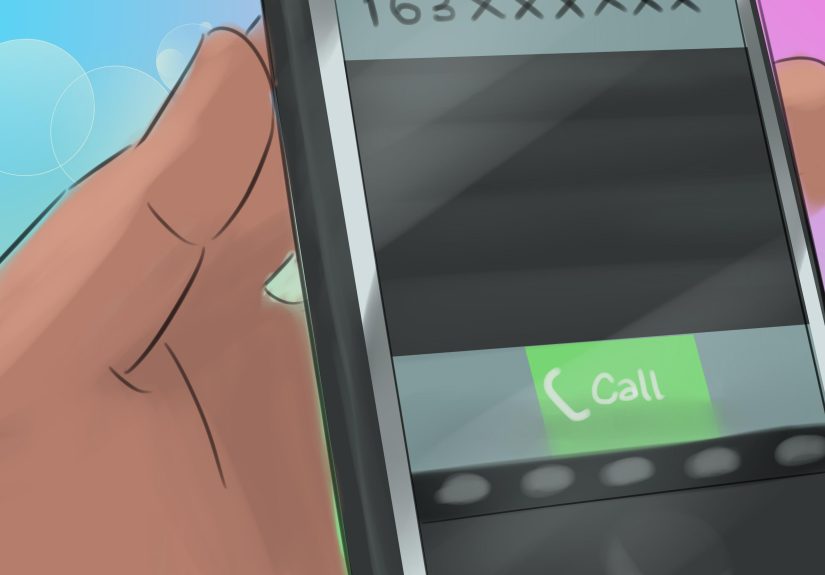
Most smartphones today come with a built-in feature that allows you to redial the last number you called. It’s quick and simple, which is why it’s the go-to method for many. Whether you’re using an iPhone or Android, here’s how to do it:
iPhone Users:
- Open the Phone app.
- Tap the Recents tab at the bottom.
- Your most recent call will be at the top of the list. Simply tap the green phone icon next to the number to redial it.
Android Users:
- Open the Phone app.
- Go to the Recent tab.
- Tap on the last number you dialed or the green phone icon next to it to redial.
This feature works perfectly when you simply need to reach someone you’ve recently called. It’s a great option for when you want to save time and avoid manually typing a phone number again. Additionally, some Android phones offer a quick redial feature through a long press on the call button, making it even faster.
2. Using the Redial Function on Traditional Landlines
Even in the age of smartphones, landlines are still prevalent in many homes and businesses. Fortunately, many modern landline phones are equipped with a redial feature that allows you to call the last number dialed with a single push of a button. Here’s how it works:
- Pick up the receiver of the landline phone.
- Look for the redial button on your phone. It is often labeled “Redial” or “Re-Dial.”
- Press the button, and the phone will automatically dial the last number you called.
This feature is handy for quickly returning calls or contacting a business without the need to input the full phone number again. If you need to redial a number you called just moments ago, landline phones make it incredibly easy.
3. Using Voice Assistants for Hands-Free Redialing
If you’re busy and need to redial a number but your hands are occupied, voice assistants can save the day. Both Siri (for iOS devices) and Google Assistant (for Android devices) can be used to redial a number hands-free, which is a perfect solution when driving or multitasking.
For iPhone Users with Siri:
- Activate Siri by saying, “Hey Siri” or pressing the side button on your iPhone.
- Say, “Redial the last number.” Siri will immediately dial the last number you called.
For Android Users with Google Assistant:
- Activate Google Assistant by saying, “Hey Google” or pressing and holding the home button.
- Say, “Redial the last number.” Google Assistant will handle the rest.
Voice assistants can be particularly useful when you need to redial a number without having to manually access your phone or landline. This method is also great when you’re driving or otherwise distracted, allowing you to stay safe while staying connected.
4. Using Call Logs for Redialing Multiple Numbers
What if you need to redial multiple numbers? Call logs can help! If you’ve called several people recently, a good option is to scroll through your phone’s call history to quickly dial the desired number.
Smartphones and landlines both store recent calls, making it easy to revisit and redial any number you’ve dialed in the past. Here’s how:
On Smartphones:
- Open the Phone app and go to the Recent Calls or Recents tab.
- Scroll through the list to find the contact or number you want to call.
- Tap the number or contact to initiate the call.
On Landlines:
- Pick up the receiver and press the Redial button.
- If you need to redial a different number, you may need to manually scroll through the call history or use additional redial functions if your landline supports it.
Call logs on smartphones are particularly effective, as they allow you to see a history of outgoing, incoming, and missed calls. From there, you can redial any number quickly without having to search for it manually or memorize it.
Conclusion
Redialing a number is a task that most of us do frequently. Whether you prefer using your smartphone’s automatic redial feature, a landline’s redial button, voice assistants for hands-free convenience, or call logs for multiple numbers, the options available make the process simple and quick. These four methods are great ways to stay connected without the hassle of searching for a phone number again and again.
Next time you need to redial, try out these methods and find the one that works best for you. Whether you’re on the go, multitasking, or simply in a rush, these options will ensure you’re back in touch with just a few taps or voice commands.
SEO Tags (JSON Format)
My Personal Experience with Redialing
Over the years, I’ve found that redialing has become a crucial tool in my everyday life. As someone who is constantly juggling work, personal calls, and sometimes even trying to reach family members who aren’t quick to pick up, knowing how to redial is a total time-saver. I often find myself using my smartphone’s quick redial feature when I’m on the go. It’s become second nature to tap on the “Recents” tab to dial the last person I spoke with.
There’s also something nostalgic about using a landline and hearing that click sound when pressing the redial button. I remember visiting my grandparents and always marveling at how convenient it was to press the redial button for quick calls, especially when we needed to call the same person multiple times during the day. The simplicity of the redial function has never been more appreciated, even in this modern age of smartphones.
When I first started using voice assistants, I didn’t realize how much they would change the way I redial. I can just be cooking dinner or driving, and with a simple command, I’m connected to someone without even needing to lift a finger. It’s an incredible convenience that I now rely on daily. My Google Assistant is usually the first tool I turn to for tasks like this. Just saying “Redial the last number” has saved me countless minutes of fiddling with the screen.
Redialing, when done efficiently, can save precious time, and knowing how to use different devices to your advantage has made my life so much easier. What’s great is that technology keeps evolving, which only means that there will be even more efficient and quicker ways to stay connected in the future!